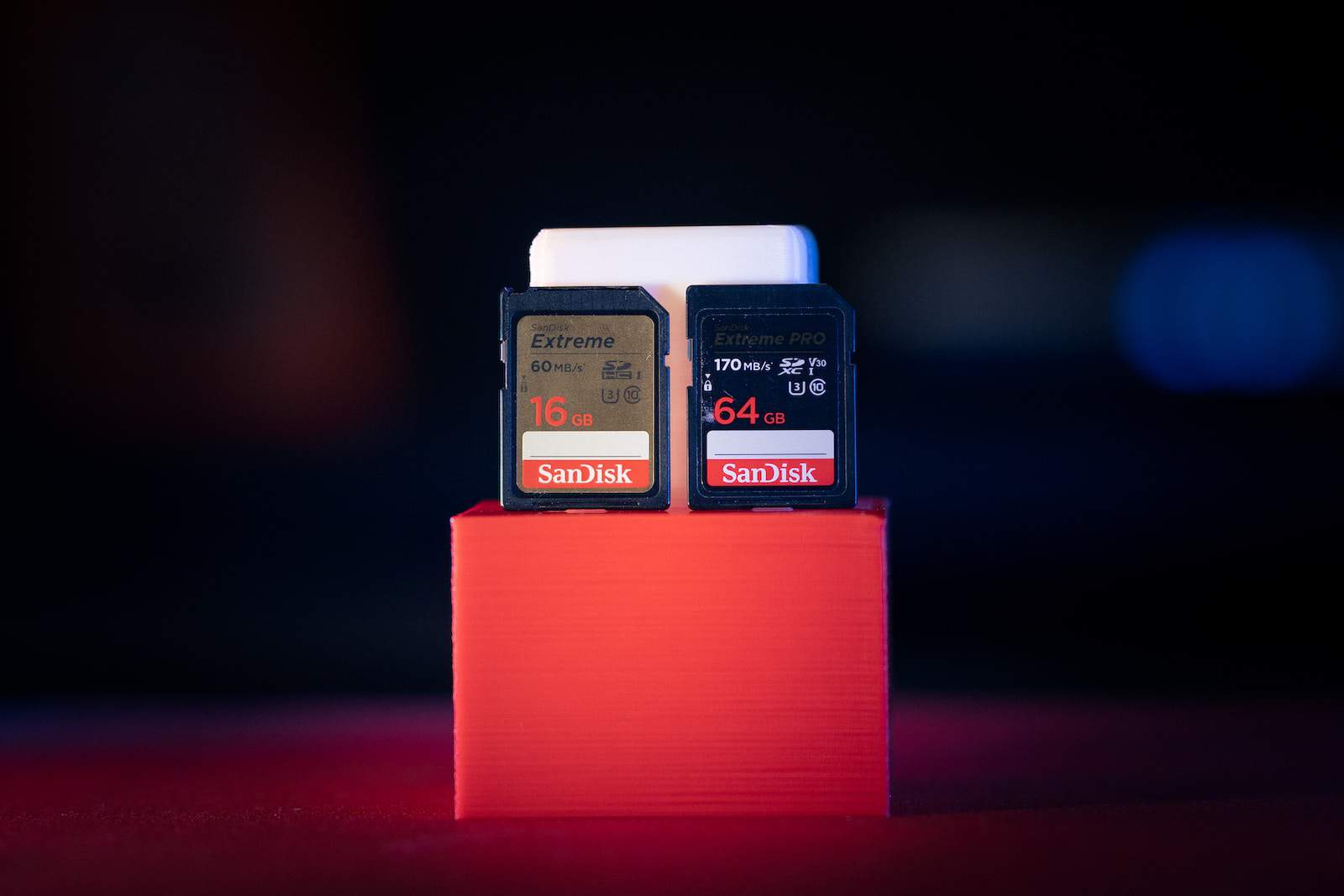
Data transmission is a crucial aspect of our lives in the current digital world. Having an effective SD card reader is essential whether you’re a photographer, videographer, or simply someone who often works with digital data. An SD card reader is a device that enables you to use a computer or other compatible devices to retrieve the data saved on an SD card. It acts as an interface between the device and the SD card, facilitating data storage and transfer.
You may quickly and securely transfer data between your memory card and computer using SD card readers. But choosing the best one for your requirements might be difficult with so many alternatives on the market. This article will lead you through the various factors to take into account when choosing an SD card reader and provide advice on how to get the most out of it.

Types of SD Card Readers
There are several different types of SD card readers, including external USB card readers, built-in card readers in laptops or cameras, and multi-card readers that can accommodate numerous memory card types.
- External USB Card Readers
- Built-in Card Readers
- Multi-Card Readers
1. External USB Card Readers
These are separate devices that connect to your laptop or computer through a USB port. They can read several memory card formats, including SD, microSD, CompactFlash (CF), and Memory Stick (MS), and thus are quite flexible. They are lightweight, compact, and broadly compatible with a variety of operating systems.
2. Built-in Card Readers
Many laptops, desktop PCs, and digital cameras include built-in card readers. These readers are frequently placed on the front or side of the device, allowing access simple. Built-in card readers provide ease and do not require a separate external device. However, they could only be compatible with a few card types or need adapters to work with other SD card sizes.
3. Multi-Card Readers
Multi-card readers, as the name implies, are intended to accommodate a variety of memory cards. People who routinely use several card types, such as professional photographers or videographers, can use these readers. Slots for SD cards, microSD cards, CF cards, and other formats are available on multi-card readers, which are often connected through USB.
Benefits
- Data Transfer
- File Management
- Card Formatting
Data Transfer
Data may be transferred from an SD card to a computer or other device using card readers. Photos, movies, music, documents, and other items may be easily and rapidly transferred from the SD card to your computer or vice versa. When your device doesn’t have built-in storage or requires frequent data backups, this capability is especially helpful.
File Management
SD card readers make it simple to handle the files and folders on your SD card. Data may be copied, moved, deleted, and organized right from the file explorer on your PC. Because of this, organizing your documents, multimedia files, and other data according to your needs is simple.
Card Formatting
SD card readers enable you to format your SD cards, which is necessary for erasing all data and getting the card ready for usage in the future. Problems with compatibility or card corruption may be resolved by formatting. It’s crucial to remember that formatting deletes all data, so before starting, make a backup of any crucial information.
Factors to Consider in Choosing the Card Readers For Efficient Data Transfer
The following are some of the factors to consider when selecting an SD card reader and provide tips for using it effectively.
1. Compatibility
Make sure your gadgets and memory cards are compatible before making your SD card reader selection. The majority of SD card readers support SD, SDHC, SDXC, microSD, and CompactFlash, among other formats. Before making a purchase, it is, however, wise to review the specifications and verify compatibility.
2. Connection Type
There are several different connection methods for SD card readers, including USB-A, USB-C, Thunderbolt, and Lightning (for Apple devices). Select a card reader based on the ports that are present on your computer or mobile device. In comparison to USB-A, USB-C, and Thunderbolt connectors are more prevalent and provide faster data transfer rates.
3. Data Transfer Speed
When it comes to transmitting huge files, speed is essential. The speed at which data may be read from or written to the memory card is determined by the speed ratings assigned to SD card readers. For quicker transmission rates, look for card readers that support USB 3.0 or above. Although UHS-II and UHS-III card readers are quicker, they cannot fully utilize their potential without UHS-II or UHS-III-compliant memory cards.
4. Build Quality and Durability
SD card readers are compact and portable gadgets. Thus their build quality is vital to consider. Look for readers that are portable and built of robust components that can sustain regular usage. Moreover, pay attention to the design and make sure the card reader has a cap or cover that protects the card slot from harm and dust.
5. Multi-card Readers
Consider purchasing a multi-card reader that supports many types if you often use memory cards in different formats. These adaptable readers save you money and space by eliminating the need to buy different equipment for each card type.
6. Additional Features
Additional functionality offered by some SD card readers can improve your experience. For instance, some versions contain built-in slots for additional peripherals like USB drives or HDMI output, while others may have LED indicators that display the status of data transfer. These functions can make your process more convenient and adaptable.
Using an SD Card Reader Effectively
Following your selection of the ideal SD card reader, use the following tips to guarantee effective data transmission.
1. Insert and Remove Cards Correctly
To avoid damage, always insert the memory card into the reader in the right direction. Before transferring data, use mild force and ensure the card is properly installed. Similarly, be cautious when taking out the card to avoid unintentional ejection or card bending.
2. Close Unnecessary Applications
Close any unnecessary processes and programs that may be operating in the background to maximize data transmission speed. This step frees up system resources and allows the card reader to use the maximum available bandwidth.
3. Use High-Quality USB Cables
Use a high-quality connection with rapid data transfer speeds if your SD card reader is detachable from the USB port. Slower transfer rates or even data corruption might result from faulty or broken wires.
4. Safely Eject the Card
Always utilize your operating system’s “Safely Eject” option after transferring data before taking the card out of the reader. By doing this, potential data loss or corruption is avoided and all data is written.
5. Keep Your Card Reader Clean
Clean the contact surfaces and slots of your SD card reader frequently to get rid of any dust or dirt. Without inflicting any harm, carefully wipe the card reader with a gentle, lint-free cloth or compressed air.
You may pick and utilize an SD card reader that matches your demands for efficient data transfer by examining the criteria listed above and following these guidelines for optimal usage. Whether you work with digital files often or are a professional photographer, having a dependable and quick card reader will greatly improve your workflow and save you time and effort.