
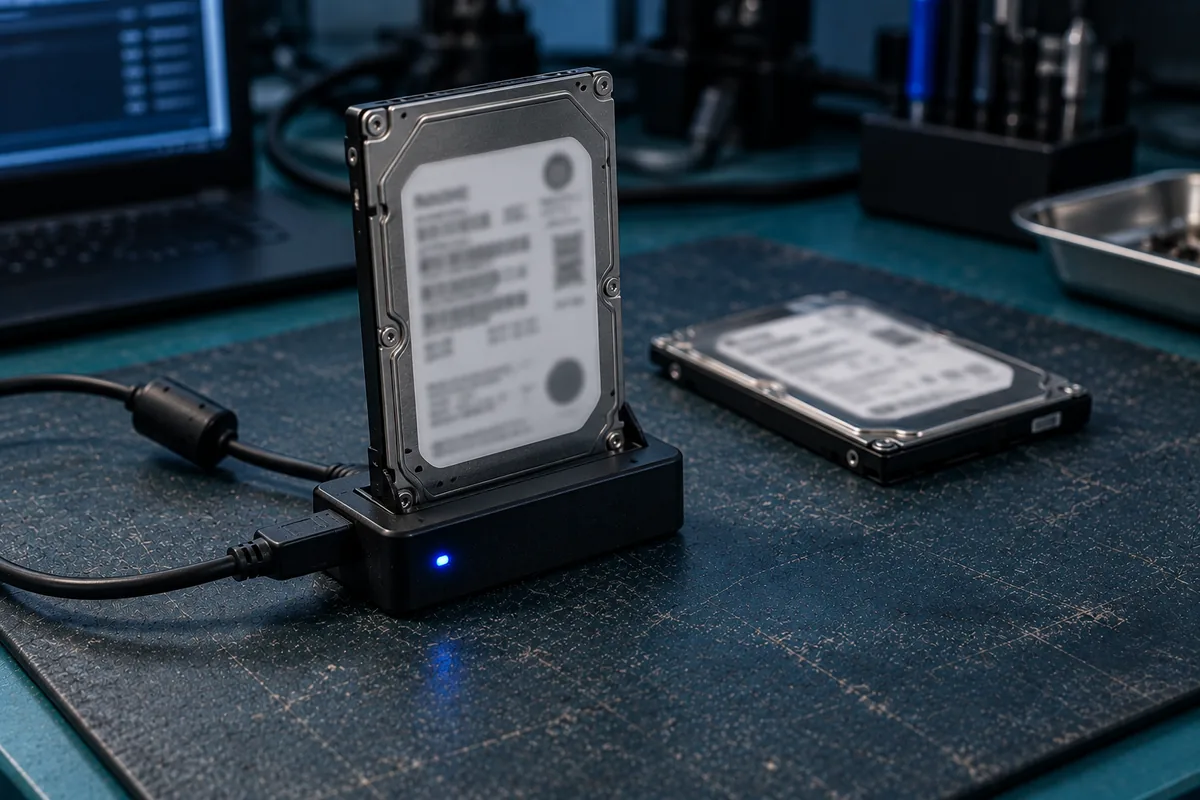
Yes — failed WD drives are usually recoverable, from My Passport and Elements portables to My Book desktops and internal WD Blue/Black/Red drives. WD-specific quirks — hardware encryption at the USB bridge and ROYL firmware — mean generic approaches often fail, so WD-specific expertise matters. Don't keep re-plugging a WD drive that isn't detected, and don't format it — book a free diagnosis.
WD recovery needs WD-specific expertise.
Western Digital is one of the most common drive brands we recover — and one with quirks that trip up generic recovery attempts. WD portable drives encrypt data in hardware at the USB bridge, so you can't simply pull the drive out and read it elsewhere. WD's ROYL firmware architecture also needs specialised handling when a drive develops firmware faults.
CBL recovers the full WD range in our cleanroom lab, with the tools and donor stock to handle WD's encryption, firmware and cleanroom repairs.
Stop re-plugging it, and never format it if prompted. If it's clicking or was dropped, power it off. Then book a free diagnosis.
WD models we recover
The colour on a WD label is not decoration. It tells us the platform, and the platform decides how the drive has to be handled in the lab.
Internal WD drives
- WD Blue. The mainstream desktop and laptop drive. Several Blue capacities use SMR (shingled magnetic recording), where tracks overlap like roof tiles. Recent writes sit in a media cache and are folded into the main area later, so a Blue that failed mid-write can hold the newest version of a file somewhere the file system does not expect it.
- WD Black. Performance CMR drives, usually the boot or scratch disk. Higher head counts, which makes donor matching stricter.
- WD Red, Red Plus, Red Pro. NAS drives, normally pulled from a Synology or QNAP. Plain Red was SMR for several generations; Plus and Pro are CMR. If the drive came out of an array, read NAS recovery first — member order matters as much as the drive.
- WD Purple. Surveillance drives that live in DVRs and NVRs, writing continuously for years. Recorders often use proprietary layouts rather than NTFS — see CCTV and DVR recovery.
- WD Gold and HGST-platform drives. Enterprise units from servers and RAID sets. Western Digital absorbed HGST, so some drives wearing a WD label are HGST inside, with different firmware and a different donor pool.
External WD drives
My Passport, Elements and My Book are enclosures, not drive models. A My Passport holds a 2.5-inch drive; a My Book is a 3.5-inch desktop unit on mains power; Elements is sold in both portable and desktop form. In every case we match donor parts by family, capacity, head count, firmware revision and PCB — a board with the same model number bought from a marketplace is not a match.
WD model numbers we recover
The model number is printed on the drive’s own label, and it is the fastest way to tell us what you have — it identifies the platform, the head count and the donor pool in one string. These are the Western Digital families we handle most often. The list is a guide, not a limit: if your number is not here we still recover it, and a free diagnosis tells you where you stand either way.
| Family | Model numbers |
|---|---|
| WD Blue Mainstream 3.5-inch desktop drives | WD100EAGZ · WD10EARZ · WD10EZEX · WD10EZRZ · WD120EAGZ · WD20EARZ · WD20EZAZ · WD20EZBX · WD30EZAX · WD30EZAZ · WD40EZAX · WD40EZAZ · WD5000AZLX · WD5000AZRZ · WD60EZAX · WD60EZAZ · WD80EAAZ · WD80EAZZ |
| WD Blue (2.5-inch) Laptop and portable-enclosure drives | WD10JPVX · WD10SPZX · WD15NPVZ · WD20NPVZ · WD20SPZX · WD3200LPCX · WD3200LPVX · WD5000BPVX · WD5000LPCX · WD5000LPVX · WD7500BPVX · WD7500LPCX |
| WD Red / Red Plus NAS drives from Synology, QNAP and similar | WD100EFGX · WD101EFBX · WD120EFBX · WD120EFGX · WD20EFAX · WD20EFPX · WD30EFAX · WD40EFAX · WD40EFPX · WD40EFZZ · WD60EFAX · WD60EFPX · WD60EFZX · WD80EFPX · WD80EFZZ |
| WD Red Pro Higher-duty NAS and small-array drives | WD102KFBX · WD103KFBX · WD121KFBX · WD122KFBX · WD141KFGX · WD142KFGX · WD161KFGX · WD181KFGX · WD2002FFSX · WD201KFGX · WD202KFGX · WD221KFGX · WD240KFGX · WD241KFGX · WD260KFGX · WD4003FFBX · WD4005FFBX · WD6003FFBX · WD6005FFBX · WD8003FFBX · WD8005FFBX |
| WD Purple Surveillance drives from DVRs and NVRs | WD10PURZ · WD11PURZ · WD22PURZ · WD23PURZ · WD33PURZ · WD34PURZ · WD42PURZ · WD43PURZ · WD44PURZ · WD63PURZ · WD64PURZ · WD84PURZ · WD85PURZ |
| WD Purple Pro Higher-capacity surveillance drives | WD102PURP · WD122PURP · WD142PURP · WD181PURP · WD221PURP · WD241PURP · WD260PURP · WD8002PURP |
| WD Gold Enterprise drives from servers and RAID sets | WD103KRYZ · WD122KRYZ · WD142KRYZ · WD161KRYZ · WD181KRYZ · WD203KRYZ · WD221KRYZ · WD242KRYZ · WD261KRYZ · WD4004FRYZ · WD4005FRYZ · WD6004FRYZ · WD6005FRYZ · WD8005FRYZ · WD8006FRYZ |
| WD_BLACK Retail pack codes, not the label model number | WDBSLA0010HNC-NRSN · WDBSLA0020HNC-NRSN · WDBSLA0040HNC-NRSN · WDBSLA0060HNC-WRSN |
106 Western Digital model numbers listed. Capacity, head count, firmware revision and PCB all have to match before a donor part is any use, so the number on the label is where every physical recovery starts.
WD hardware encryption — what it means
Many WD portable drives (My Passport, some Elements) encrypt data in hardware at the USB bridge board — even if you never set a password. This is why a WD portable that isn't detected can't simply be removed and read in another enclosure: the data is encrypted to that bridge. Recovery must account for the encryption, which we handle as standard. It also means DIY "shucking" a failed WD portable rarely works.
The practical consequence is simple: the bridge must stay with the drive. On a My Passport the bridge is soldered onto the drive's own PCB. On a My Book it is a separate board inside the case. Either way it carries the key material, so a drive separated from its bridge reads as noise rather than files. Bring the whole unit in — enclosure, board, cable and power adapter — even if the plastic case looks irrelevant to the fault.
WD data recovery Singapore, Western Digital recovery, WD My Passport recovery — what people actually mean
People describe this problem in a dozen ways, and the wording matters far less than you would think. If any of the phrases below sound like your situation, you are in the right place.
"WD data recovery Singapore" and "Western Digital recovery"
WD is Western Digital — the same company, the same drives, and the same job on the bench. The distinction only earns its keep in one place: donor sourcing, where the HGST-platform drives described above behave nothing like WD's own designs. We identify the platform at diagnosis, from the drive itself rather than from the sticker.
"WD My Passport recovery", "WD Elements recovery", "My Book recovery"
These name the enclosure, not the mechanism inside it. That matters because people assume the product name describes the drive, when what it actually tells us is which USB bridge is involved — and on WD portables the bridge is where the encryption lives. Two units showing the identical symptom, one a Passport and one an Elements, can be two entirely different faults.
"WD hard drive repair" versus "WD data recovery"
Worth settling, because they are not the same request. Repair means making the hardware work again. Recovery means getting the files off, and repair is only a means to that end — we stabilise the drive far enough to image it, rebuild your data from the image, and return it on fresh media. We do not hand back a refurbished WD drive for you to carry on using. A drive that has failed once has already told you what it will do again.
Not "WD" or "Western Digital" — but "encrypted". If the unit is a hardware-encrypted portable, the enclosure is part of the recovery. Keep it with the drive.
Looking for the Western Digital service centre in Singapore?
If you searched "Western Digital Singapore" or "WD Singapore" because a WD drive has failed, there is one distinction worth understanding before you do anything else — because a warranty claim and a data recovery lead to opposite outcomes.
Western Digital's warranty covers the hardware. Send a failed drive in under warranty and you receive a replacement drive — the original is not sent back, and everything on it goes with it. If the files matter more than the drive, recover the data first, then claim the warranty. Doing it the other way round cannot be undone.
Who we are, plainly: CBL is an independent data recovery laboratory. We are not Western Digital's authorised service centre and we are not affiliated with WD. What we do is recover data from failed WD drives — My Passport, My Book, Elements, and the internal Blue, Black, Red and Purple ranges — in our own in-house cleanroom here in Singapore. Your drive is opened on these premises, not forwarded overseas.
| What you want | Where to go | What you get back |
|---|---|---|
| A working drive, data not needed | WD warranty / retailer | A replacement drive. Original data lost. |
| The data off the failed drive | A recovery lab such as CBL | Your files, on new media you keep. |
| Both | Recover first, then claim | Files recovered, then the warranty honoured. |
A warranty claim is still worth making after recovery — a failed drive under warranty is a free replacement. It is only the order that matters.
And if what you actually need is an authorized WD service center rather than a recovery lab — for a warranty exchange, an RMA, or a drive that is faulty but whose contents you don't need — Western Digital's own support site lists its authorized partners. We would rather point you there than take a job you don't need.
Common WD failures
A WD drive rarely dies without warning. What it did in the days before tells us a great deal about what is actually broken.
What each symptom usually indicates
- Rhythmic clicking or tapping. The head stack cannot find its position, or the actuator is stuck over the platter. Every further spin-up scores the surface. Power it off.
- Spins up, light on, nothing mounts. On a portable this is most often the USB bridge. On an internal drive it is more often a firmware translator fault, which is where WD's ROYL modules come in.
- Detected, but Windows offers to format it. The partition or file system is damaged, or the bridge is delivering garbled sectors. Decline the prompt — formatting writes a fresh file system over the one we need to read.
- No spin, or a faint beep. A seized spindle motor, or heads parked on the recording surface. Common after a knock while the drive was running.
- Copies start fast, then crawl and freeze. Bad sectors and reallocation. On an SMR Blue or Red it can also be the media cache failing to fold writes into the main area.
- Connects and disconnects repeatedly. A marginal bridge, a tired cable, or a bus-powered drive drawing more current than the port will supply. Do not keep re-plugging it to test.
- A password prompt you never set. The encryption layer is alive but the user area is unreadable. That is a drive fault, not a forgotten password.
Our WD recovery process
Free diagnosis
We identify the fault — bridge, encryption, firmware, PCB or heads — and confirm recoverability. No cost.
Repair & access
Cleanroom head/PCB repair or ROYL firmware repair as needed, handling WD's hardware encryption.
Image & reconstruct
We clone the drive, decrypt where required, then rebuild the file system and extract your files.
Verify & return
Verified data returned on fresh media.
See the general process: hard drive recovery · external drive recovery.
How much does WD recovery cost?
| Case type | Examples | Indicative range (SGD) |
|---|---|---|
| Logical / bridge | Corruption, RAW, failed USB bridge | $180 – $650 |
| Firmware / PCB / encryption | Not detected, ROYL fault | $300 – $900 |
| Physical (head swap) | Clicking, dropped WD drive | $400 – $1,800 |
Exact fixed price before work begins. Full detail: data recovery cost guide →
DIY mistakes that destroy WD data
Most of the unrecoverable WD drives we see were recoverable on the day they failed. Here is what changed that, and the mechanism behind each one.
- Shucking a My Passport or My Book. On a hardware-encrypted unit the bridge holds the key, so a bare drive in a SATA dock shows nothing usable — and people conclude the platters are blank when they are not.
- Running recovery software on a drive with bad sectors. Scanning tools retry unreadable sectors thousands of times, and each retry drags a weakening head back over a damaged area. Marginal sectors become scored ones, unattended, for hours.
- Fitting a "matching" PCB bought online. Every WD board carries adaptive data unique to that drive in its ROM chip. Swap the board without transferring the original ROM and the drive either stays invisible or writes wrong calibration values back into the service area.
- Running chkdsk /f, or accepting the format prompt. Both write to a drive that cannot reliably be written to, overwriting exactly the metadata a file-system reconstruction needs.
- Freezer tricks and gentle taps. Condensation inside a sealed drive contaminates the platters, and a knock that frees a stuck head usually frees it straight onto the recording surface.
Say so at diagnosis. Earlier attempts change our approach, not our willingness to look — and we would far rather know up front than discover it in the cleanroom. More on the trade-offs: DIY vs professional recovery.
WD recovery case studies
Representative examples from typical laboratory cases. Anonymised.
Dropped My Passport — 8 years of records
A WD My Passport was knocked off a desk and began clicking. We replaced the head-stack in the cleanroom, imaged the platters and handled the WD hardware encryption.
✓ 100% recoveredWD desktop not detected after a surge
A WD internal drive stopped being detected after a power surge — a burnt PCB. We repaired the board and transferred the unique ROM.
✓ Fully recoveredWD Elements ROYL firmware fault
A WD Elements developed a firmware fault and became inaccessible. We repaired the ROYL modules and extracted the data.
✓ Files recoveredCBL vs a reseller vs DIY software
Three routes get advertised for a failed WD drive. Only one of them deals with all of the WD-specific obstacles.
| What matters on a WD drive | CBL (in-house lab) | Typical reseller | DIY software |
|---|---|---|---|
| Hardware-encrypted bridge handled | ✓ As standard | Varies | ✗ Reads as noise |
| ROYL firmware / module repair | ✓ In-house | ✗ Outsourced | ✗ None |
| Cleanroom head swap with WD donors | ✓ Stock on site | Sent elsewhere | ✗ |
| Safe on a clicking WD drive | ✓ Images first | Varies | ✗ Makes it worse |
| Best for | Any WD failure | Simple cases | Minor logical, with a backup |
Free diagnosis & a fixed written quote
Free Diagnosis
We assess your WD drive — no cost, no obligation.
Work Stays In-House
Recovered in our in-house Singapore lab — never shipped overseas.
Fixed Quote First
A firm written price before any work begins. No hidden fees.
WD recovery FAQ
Is CBL a Western Digital service centre in Singapore?+
My WD My Passport failed and it is still under warranty. What should I do first?+
Can you recover a WD drive that isn't detected?+
Does WD hardware encryption stop recovery?+
Can you recover a clicking WD drive?+
Can you repair WD ROYL firmware faults?+
Which WD models do you recover?+
How much does WD recovery cost?+
I have already taken the drive out of my WD My Passport — is the data gone?+
What is SMR, and does it change my WD recovery?+
Do I need to bring the enclosure, cable and power adapter?+
How long does a WD recovery take?+
If my WD drive cannot be recovered, do I still pay?+
The bottom line
WD drives fail in WD-specific ways — encryption, ROYL firmware, bridge faults — and getting the data back safely means using WD-specific expertise. Stop re-plugging it, don't format it, and let CBL diagnose it free. There's no risk in finding out.