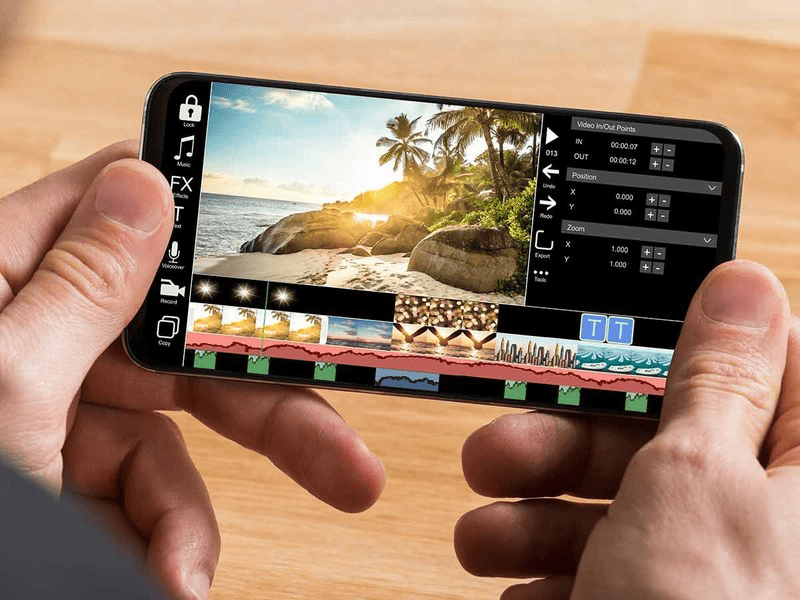
People nowadays are more interested in creating video content, either professionally for their social media channels or for updating their WhatsApp statuses to commemorate special occasions. Whether you’re a professional filmmaker or a basic user, mobile video editing apps have made it simple for anybody to edit videos while they’re on the move. Since smartphones are so widely used, many people are now able to record high-quality videos on their phones and share them with the rest of the world. The best video editing software for mobile devices will be discussed in this post.
KineMaster
KineMaster is a popular video editing app that offers a range of features and functionalities for creating professional-quality videos on mobile devices. KineMaster supports both Android and iOS devices. It’s a great app that makes it simple to edit videos and produce content that looks professional. It has several options to edit videos, like filters, adding music and sound effects, and more. You can also export your videos in a variety of formats. Through KineMaster, we can post or share your videos to social networking websites like Facebook, YouTube, and Instagram.
Pros
- The interface is user-friendly, even beginners can quickly use it without so much effort.
- This software’s tools and features let the users make high-quality edited videos. The result might be like a professionally edited one.
- Users can easily make sophisticated videos with a variety of elements by adding numerous layers of video, photos, stickers, and text to their projects. Also, easy to export the videos to other platforms.
Cons
- Although the KineMaster has various tools and features when compared with the professional PC or desktop video editing software, the features are fewer.
- Users can access all the features only through the paid version. Also, the free version comes with watermarks.
PowerDirector
PowerDirector is also one of the good options for beginners who wish to edit their videos like professionals. Using this software, users can achieve high-quality results through its powerful and enhanced features and tools. It has various editing options like trimming, filters, effects, video brightness, color contrast, merging shots, and more. Suitable for Instagram users who create reels and other shots to upload to social media channels.
Pros
- Easy to use, faster in editing, and has various tools and features, such as video stabilization, color correction, special effects, and timeline editing.
- Most of the basic features necessary for video editing are covered in the free version itself so users can make use of it.
Cons
- In the free version, limited options are available for the users. To utilize the remaining need to upgrade to the paid version.
- Users should confirm before downloading PowerDirector for their mobile devices since it might not be compatible with all of them.
Promeo

Promeo is one of the best mobile video editing apps for those who want to make ads or social media posts. There are several features and tools available in the software, such as the ability to add text and stickers, use filters, change the speed of the video, and cut and combine video segments. Promeo supports both Android and iOS devices.
Pros
- The interface is simple and easy to use.
- Provides high-quality output by editing through various options like trimming, filtering, merging, and various audio effects.
- As it supports iOS devices, users can take backups of their videos through iCloud Backup which is one of the best features of iCloud.
Cons
- The free version has limited features and also results added with watermarks with low resolution.
- Sometimes occurring errors and problems have been reported by some users, which can be annoying and may have an impact on the editing process.
- Promeo may limit your audience because it only lets you share your videos on a few specific social media sites.
iMovie

iMovie is a simple app developed by Apple for iOS devices with a variety of features and tools to let you edit videos fast and efficiently while giving them a more professional appearance. Using iMovie, we can import photos or videos from your camera roll and make them into beautiful video clips. It has some editing options like trimming, cropping, filtering, and more sound effects.
Pros
- User-friendly Interface with a wide range of editing features, tools, and sound effects to obtain great results.
- As it supports iOS devices, you can take a backup of videos using the iCloud backup option.
Cons
- Although iMovie offers a lot of capabilities, it might not be as effective as some other video editing programs. It’s possible that iMovie does not support all cutting-edge editing methods.
- iMovie supports only Apple devices, Android users cannot make use of it,
Splice
Splice is a widely used video editing app that supports both Android and iOS mobile devices. Users may quickly and easily modify videos using a variety of editing tools available in the program, such as the ability to add music and sound effects, trim and chop video segments, change the pace and flow of the video, and apply filters and effects.
Pros
- It is available for free with basic features and is easy to use.
- Splice doesn’t add a watermark to your videos like some other mobile video editing apps, so you may make and share videos without the app’s branding on them.
Cons
- Splice has a variety of editing capabilities, but less advanced functionality than some other video editing software may be a disadvantage for more experienced users.
- Splice is available for free, but there are certain in-app purchases available, such as more music tracks and filters.
Quik

For those wishing to make professional videos while on the go, Quik is a great software. Whether you’re a content creator, a social media influencer, or just trying to document and share the experiences in your life. You may use Quik to import your films and photographs, then edit and improve them using the app’s built-in capabilities. To give your video a distinctive look and feel, you can select from a choice of themes and templates or create your own by choosing your chosen colors, fonts, and music.
Pros
- The program provides a selection of templates and themes that make it simple to give your video a professional appearance.
- Quik is available to a wide range of consumers because it supports both iOS and Android.
Cons
- Quik is excellent for quickly and easily producing videos, but it could lack the sophisticated editing tools that more experienced editors might need.
- Although the templates and themes are beneficial for new users, more experienced users can find the limited customization choices to be limiting.
Finally, mobile video editing has developed into a crucial ability for both professionals and enthusiasts. You may edit your movies on the go and produce beautiful content right from your smartphone using the mentioned apps. It’s critical to select the app that best meets your needs and desires because each one offers distinctive features and advantages of its own. Explore these applications now to start producing your own incredible video clips!